Synology DS425+ vs Synology DS925+
Two boxes, side by side, read off the makers’ own spec sheets. We have not lab-tested either, so nothing here says which is quicker. There are no prices: each button opens today’s on Amazon UK.
Best-seller ranks checked on Amazon UK on 11 Nov 2026. Specs are the makers’ own.
Amazon buttons are ads. As an Amazon Associate I earn from qualifying purchases. Boxes are not ranked by commission. How this site makes money
The differences, in plain English
- Both have four bays, so with the same drives they hold the same: about three drives’ worth of protected space.
- The DS425+ comes with 2 GB of memory (6 GB is the most it takes). The DS925+ comes with 4 GB of memory (32 GB is the most it takes).
- The fastest network port on both is 2.5GbE. The DS425+ has one 2.5GbE port plus one 1GbE port and the DS925+ has two 2.5GbE ports.
- The processors differ: Intel Celeron J4125 · 4-core in the DS425+, AMD Ryzen V1500B · 4-core in the DS925+. We have not lab-tested either, so we don’t say which is quicker.
- Both run Synology DSM, so the apps and the setup are the same.
Who each one suits
Synology DS425+
4-bay · Synology DSM
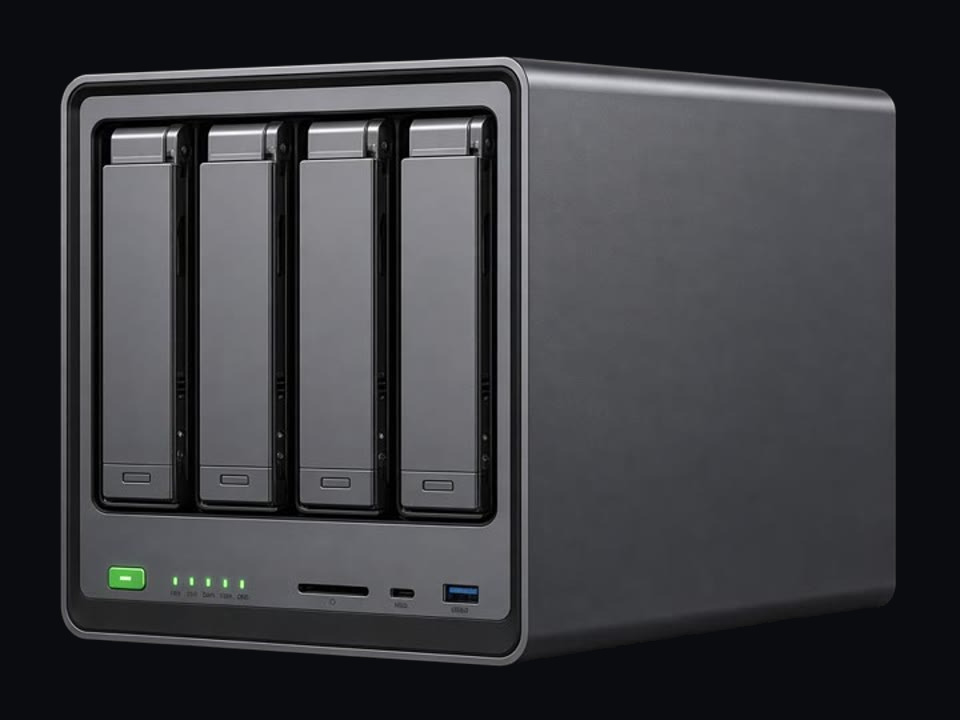
Synology’s four-bay Plus: DSM, a 2.5GbE port and two M.2 slots.
Good for
- Synology’s software with four bays
Think twice
- Only 2 GB of memory fitted (6 GB is the maximum)
Synology DS925+
4-bay · Synology DSM
Synology’s step-up four-bay: AMD Ryzen, 4 GB of ECC memory (32 GB maximum) and two 2.5GbE ports.
Good for
- Synology’s software with room to grow into
Think twice
- More box than most homes need
Spec for spec
| DS425+ | DS925+ | |
|---|---|---|
| Bays | 4 | 4 |
| Memory | 2 GB · max 6 GB | 4 GB · max 32 GB |
| Network | 1 × · 1 × | 2 × |
| Processor | Intel Celeron J4125 · 4-core | AMD Ryzen V1500B · 4-core |
| Drives | 4 × · 2 × | 4 × · 2 × |
| Ports | 2 × USB 3.2 Gen 1 | 2 × USB 3.2 Gen 1 |
| Software |
The makers’ figures. Tap a dotted word for what it means.
Then add drives
A NAS arrives empty. Buy drives made for NAS use: rated to run all day, and marked CMR. Price them before you choose a box: for a small NAS the drives can cost more than the box itself.
In a two-bay box the second drive mirrors the first, so you get the space of one. In a four-bay, one drive’s worth is kept back for protection and you get about three. A UPS is a battery that gives the box time to shut down safely in a power cut.
The WD Red Plus button opens one product page with a size picker. The other two open Amazon UK searches.
More side by sides
Not sure how much space you need? Size it from what you store. It takes about a minute.